
Self Assessment Tracker 2026/27
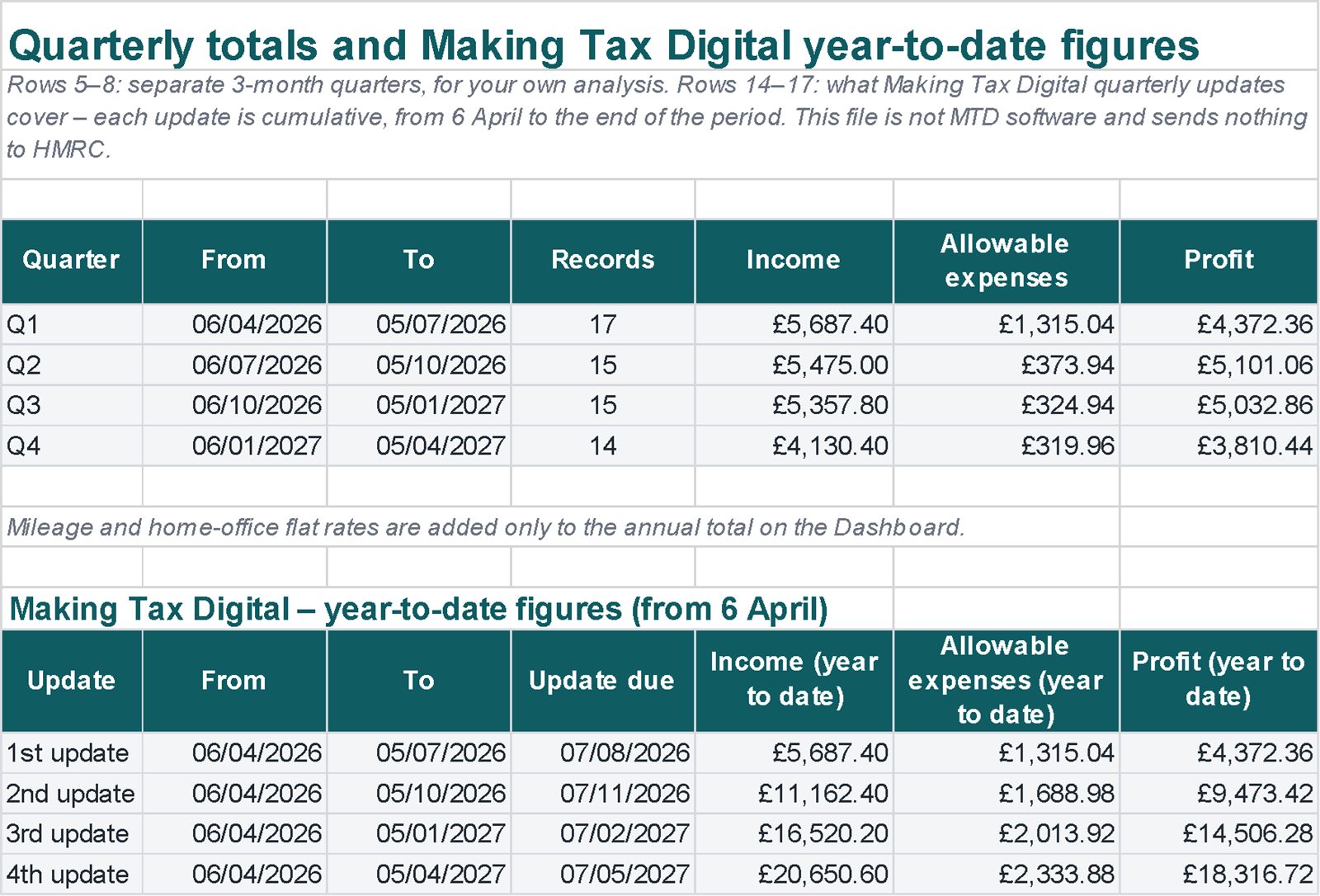
Income, expenses, mileage and an estimate of your income tax and Class 4 National Insurance for 2026/27 in one Excel file. It also shows how much to set aside each month and the year-to-date totals that Making Tax Digital updates cover.
Real screenshots of the file
Images of the file with example data. Tap an image to enlarge it.
What's inside
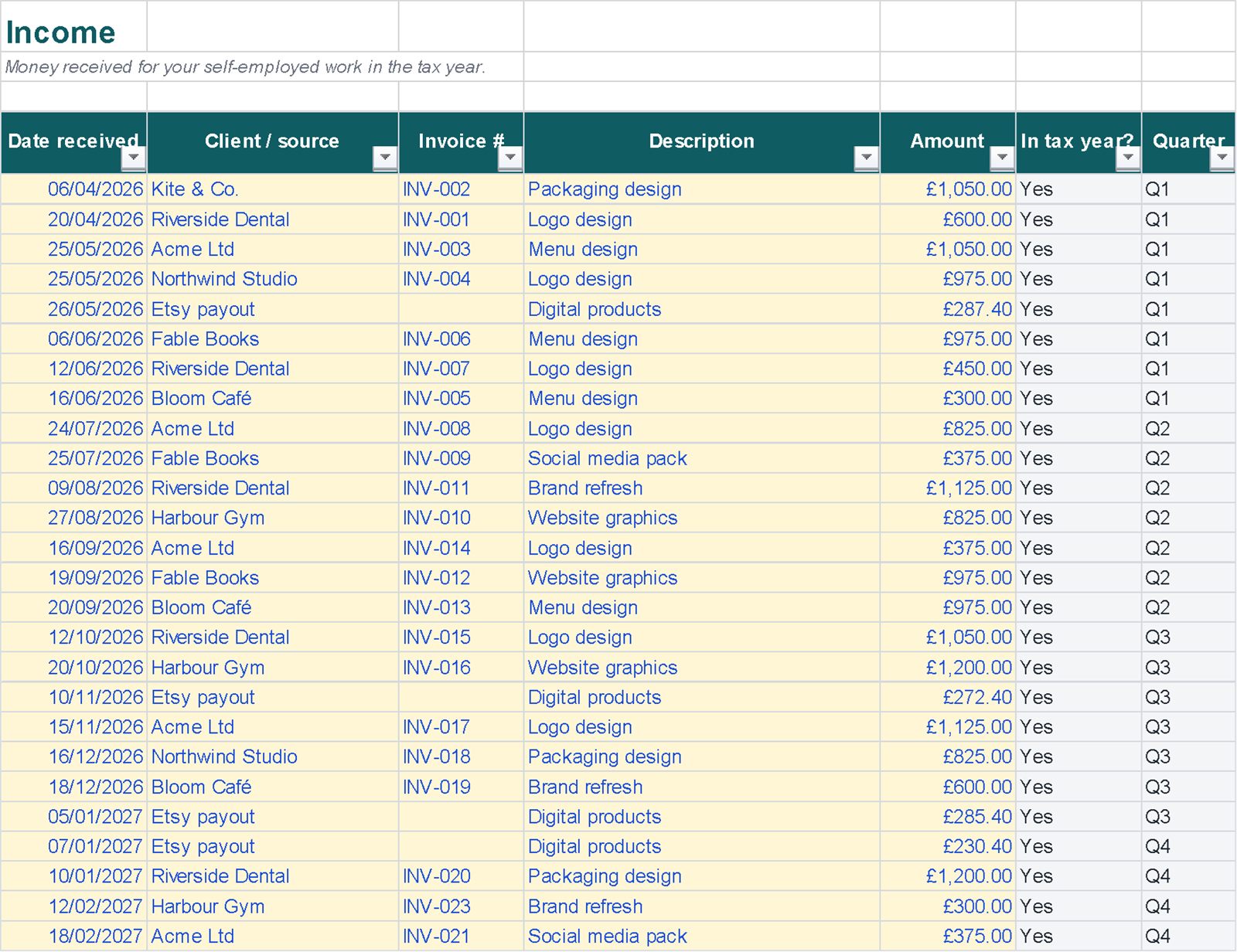
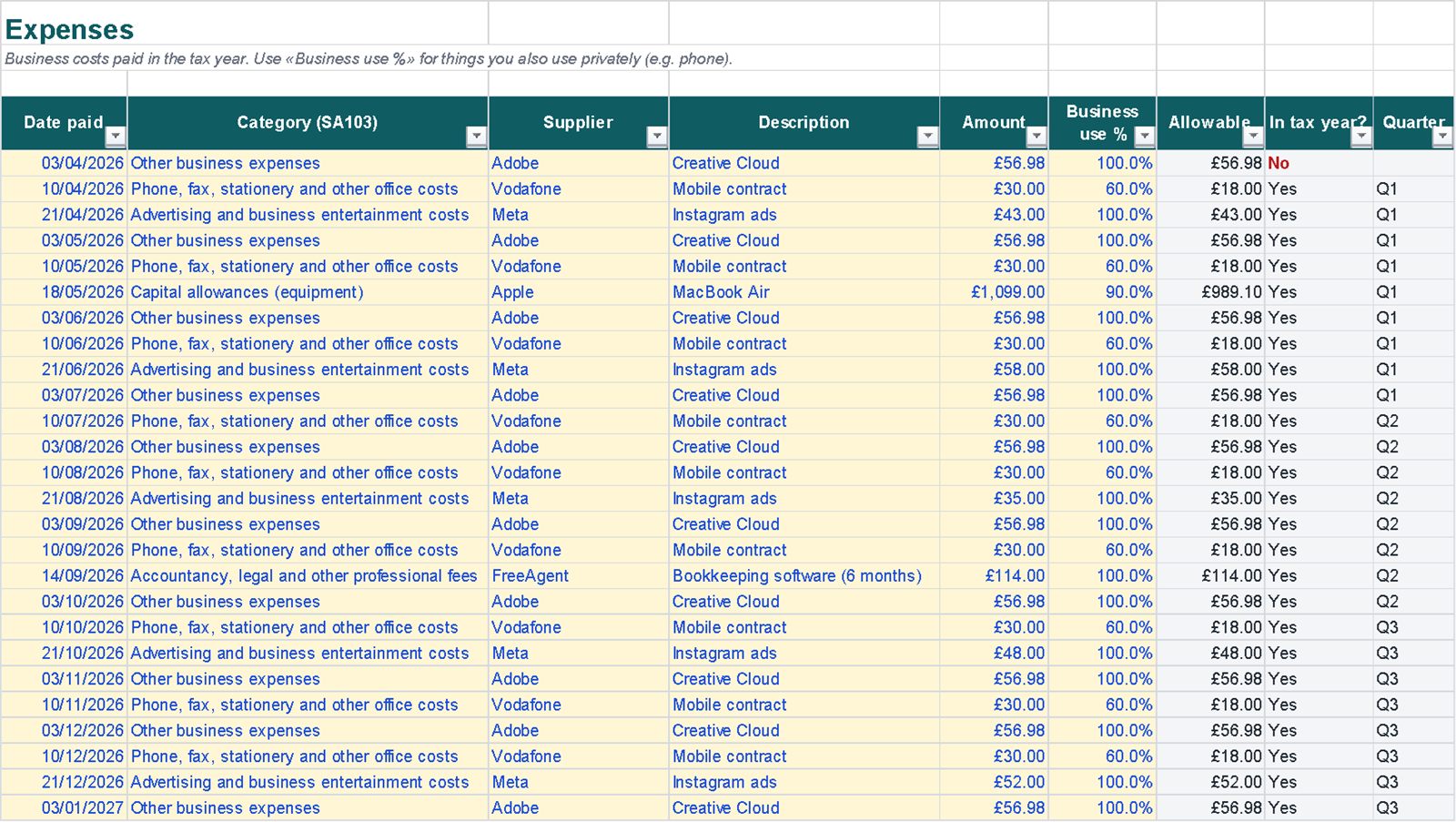
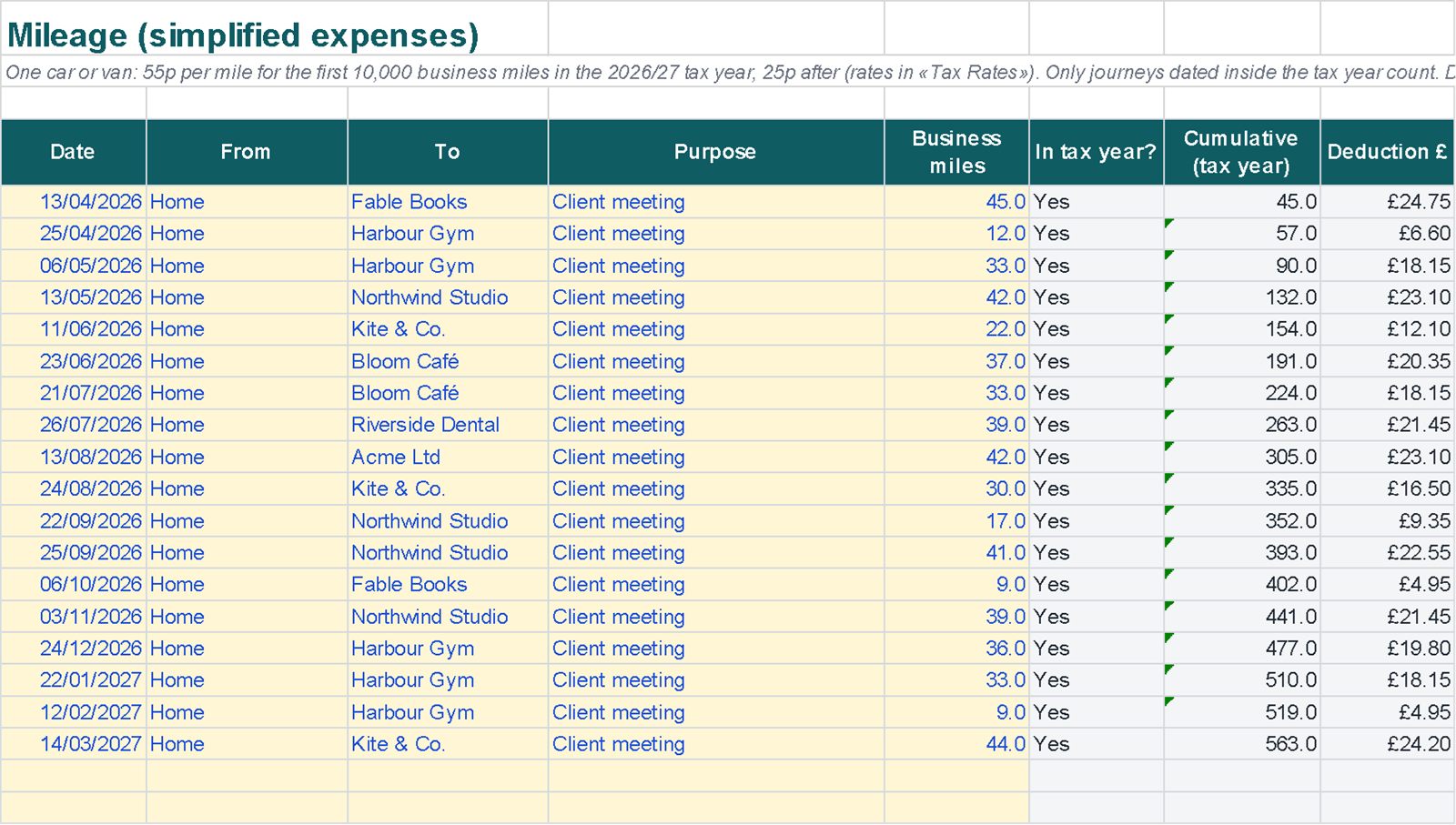
Linked sheets, with instructions on the first sheet.
A worked example
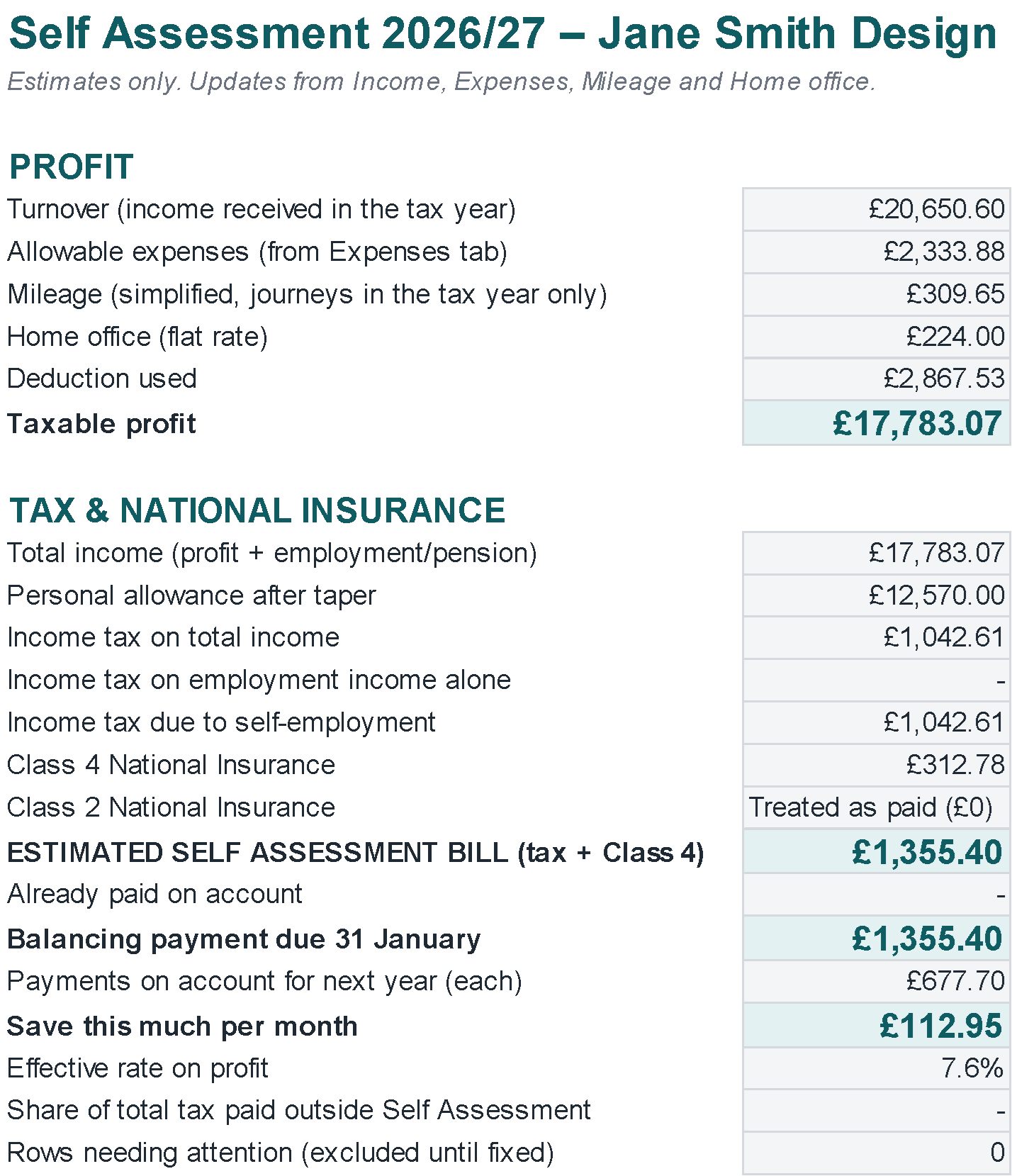
In the example, the sole trader Jane Smith Design logs a full 2026/27 tax year.
Example data, the same as in the images: the file you download contains just a few example rows to overwrite. Estimates to help you plan, not tax advice.
| Turnover | £20,650.60 |
| Allowable expenses | £2,333.88 |
| Mileage (simplified) | £309.65 |
| Taxable profit | £17,783.07 |
| Estimated bill (income tax + Class 4) | £1,355.40 |
| Save this much per month | £112.95 |
Getting started
- In Settings, choose your region and enter any employment or pension income.
- Log every payment in Income and every cost in Expenses.
- Add business journeys in Mileage, and home-office months if you use them.
- Check the Dashboard for the estimate and Quarters for the MTD year-to-date figures.
Compatibility and limits
Compatibility
- Plain .xlsx file, no macros, standard functions only.
- Tested by full recalculation in Excel for Microsoft 365.
- Calculations also checked in Google Sheets (upload the file to Google Drive).
- Not tested in Apple Numbers or Excel for Mac.
Good to know
- Not MTD software: it sends nothing to HMRC. To submit quarterly updates you need HMRC-recognised compatible software.
- Not included: student loans, High Income Child Benefit Charge, pension relief, losses, savings and dividend income.
- Estimates only, not tax advice.
Questions
Can I submit my MTD quarterly updates with it?
No. It shows the year-to-date totals each update covers (from 6 April to the end of each period), with totals by category, but sending them needs HMRC-recognised MTD-compatible software.
Does it work for Scotland?
Yes: choose Scotland in Settings and the Scottish income tax bands are used.
Which mileage rates does it use?
The 2026/27 simplified rates: 55p a mile for the first 10,000 business miles, then 25p. Journeys outside the tax year are flagged and left out.
Will anything be posted to me?
No. It's a digital file you download from Etsy right after purchase.