
Christmas Planner 2026
Gifts, holiday budget, meals and to-dos in one Excel file. You type in your budget, the people on your list and what you buy; the file works out what you've spent, what's left and what to buy for each meal.
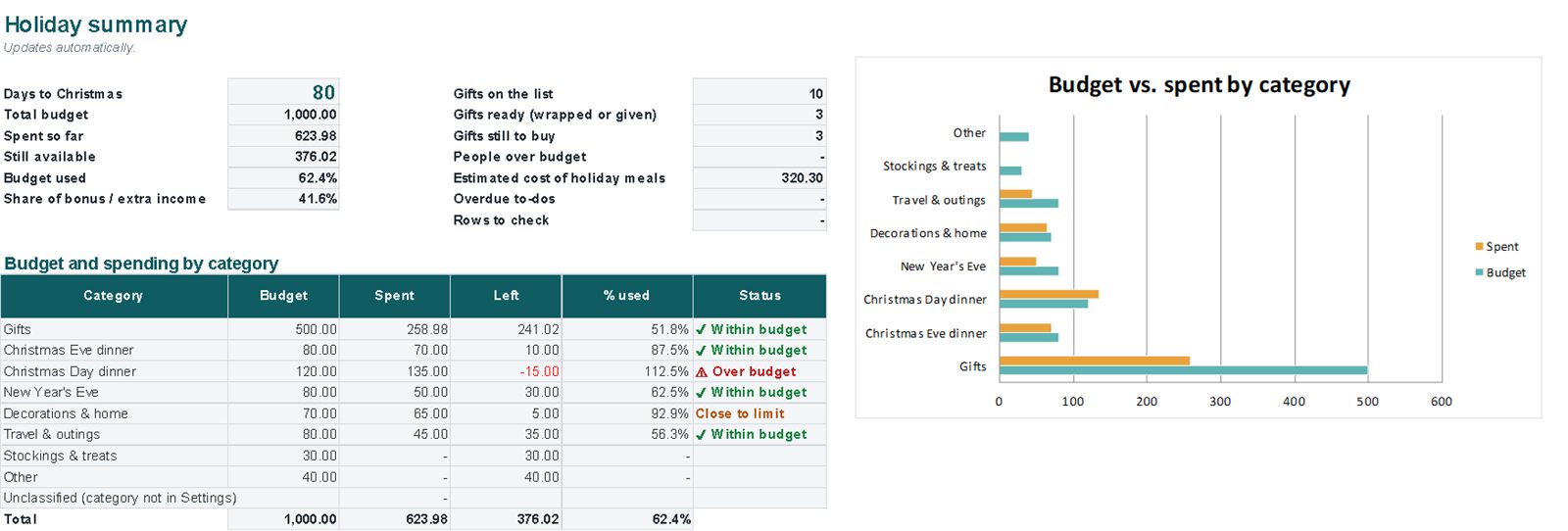
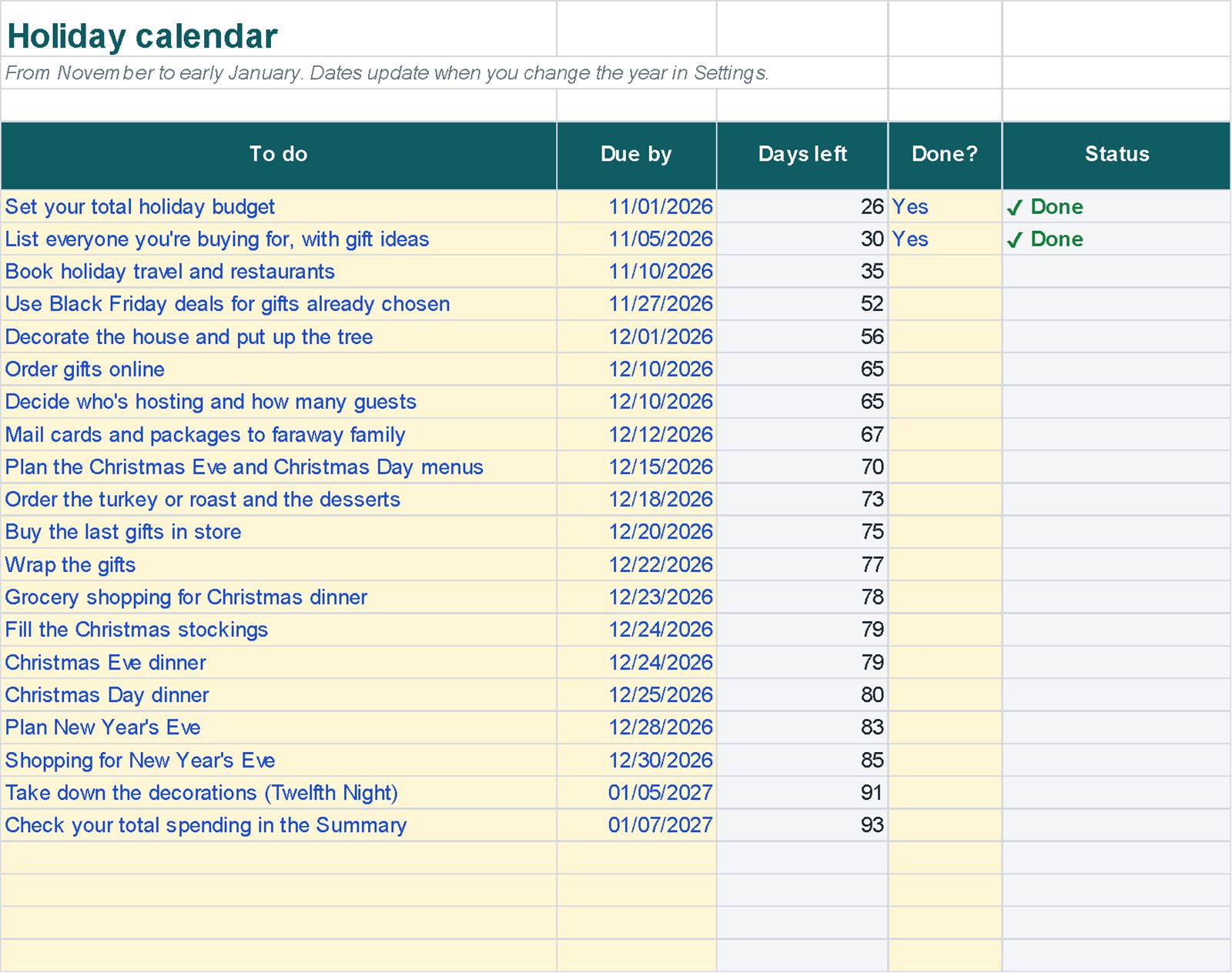
Real screenshots of the file
Images of the file with example data. Tap an image to enlarge it.
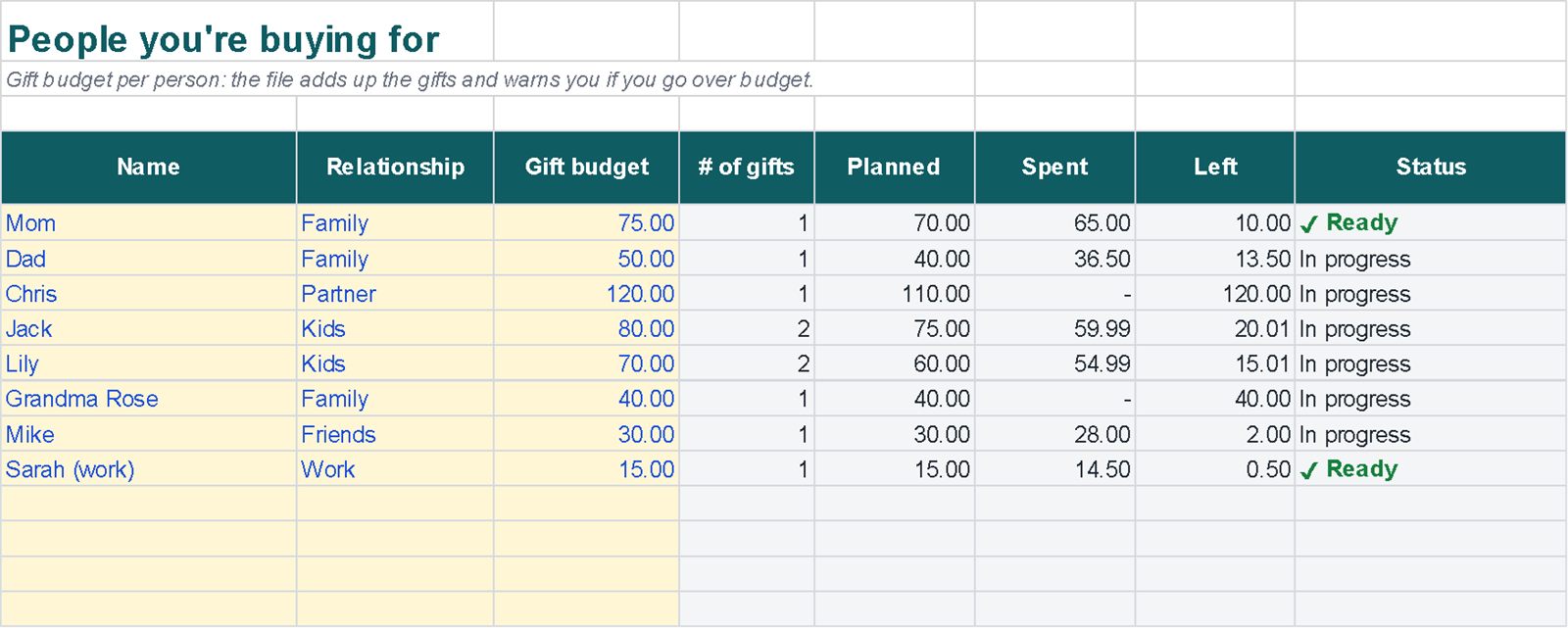
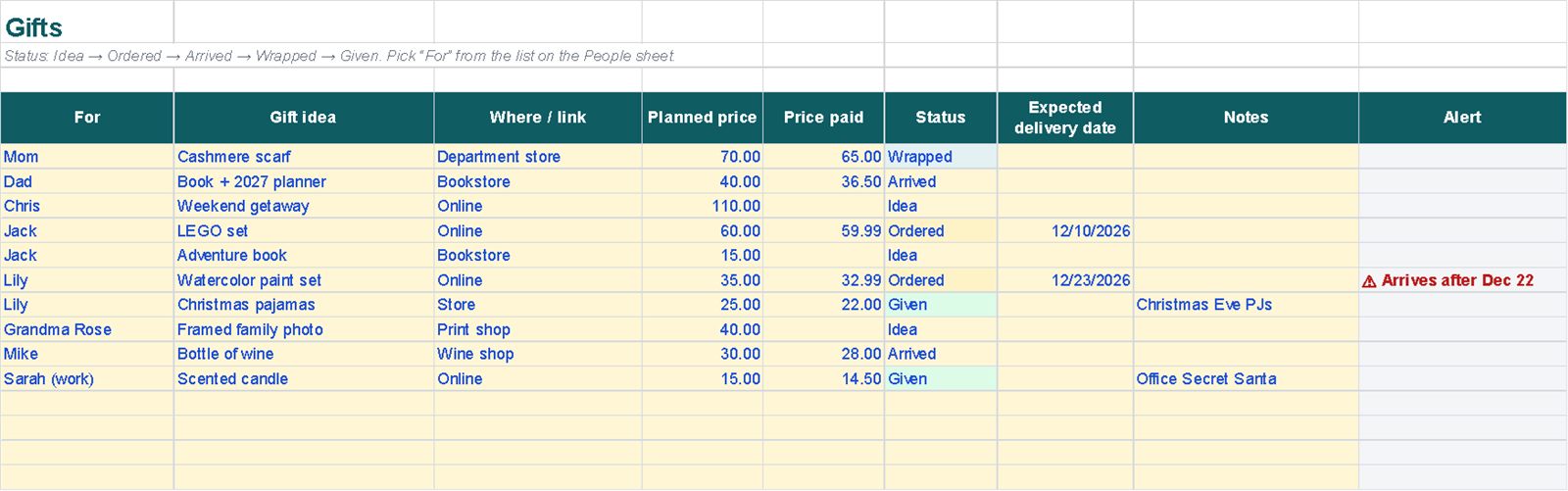
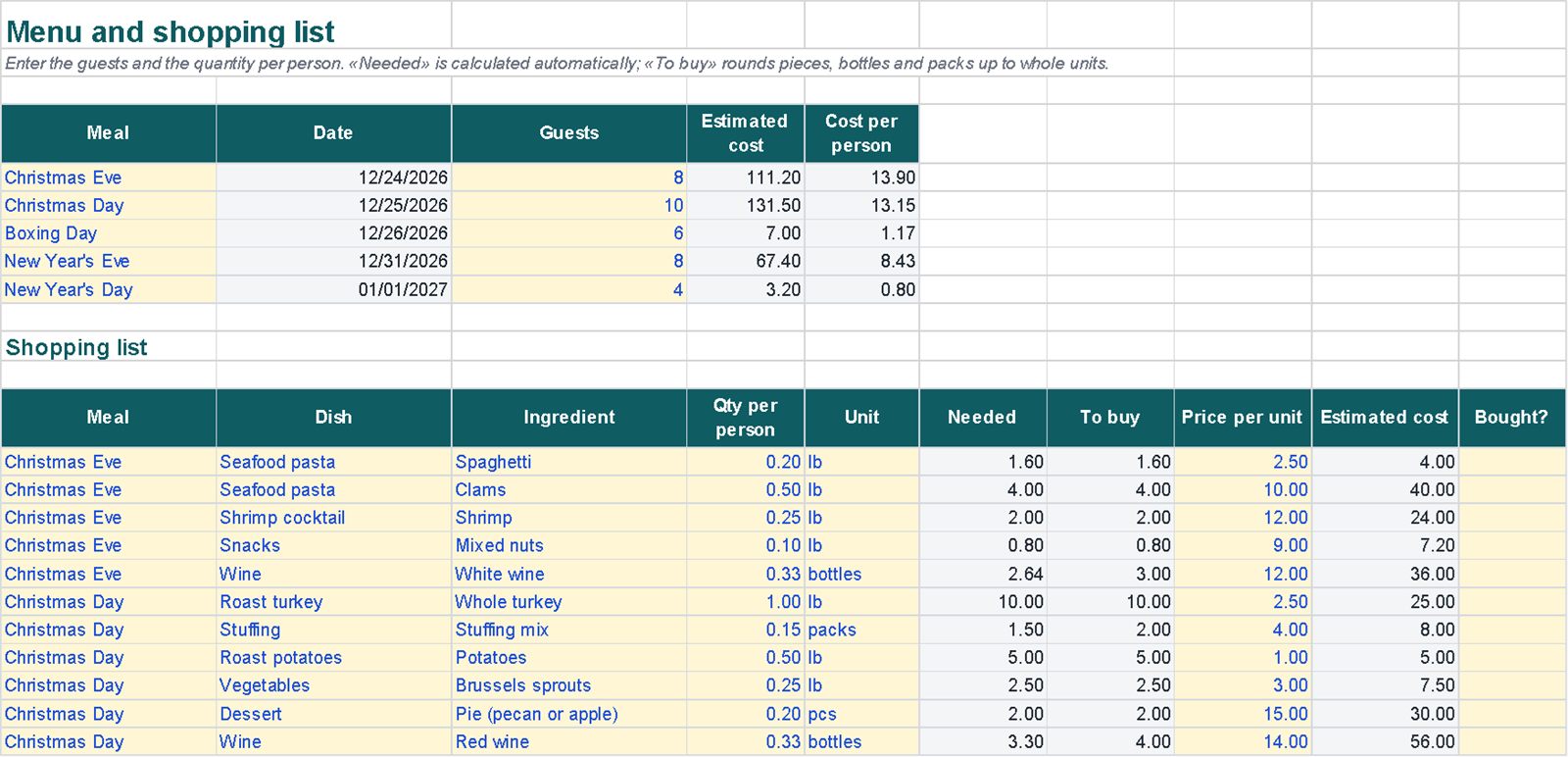
What's inside
Linked sheets, with instructions on the first sheet.
A worked example
In the example the holiday budget is 1,000 and gifts and expenses are already logged.
Example data in the file, there to overwrite. Amounts have no currency symbol: use $, £, € or any currency.
| Total budget | 1,000.00 |
| Spent so far | 623.98 |
| Still available | 376.02 |
| Budget used | 62.4% |
| Estimated cost of holiday meals | 320.30 |
Getting started
- Open Instructions, then Settings: set the year and your total budget.
- In People, list who you're buying for and how much for each.
- Log gifts and spending as you go: the Summary updates by itself.
- For each meal, enter the guests and quantity per person: the file works out what to buy.
Compatibility and limits
Compatibility
- Plain .xlsx file, no macros, standard functions only.
- Tested by full recalculation in Excel for Microsoft 365.
- Calculations also checked in Google Sheets (upload the file to Google Drive).
- Not tested in Apple Numbers or Excel for Mac.
Good to know
- Dates you type yourself (deliveries, expenses) don't change when you change the year.
- Meal costs use the prices you enter, so they are estimates.
- Renaming a category, meal or person turns old rows red until you pick the new name; the spending still stays in the total.
- The example data uses US spelling and pounds (lb); kg, g and l are in the drop-down.
Questions
Can I reuse it next year?
Yes. Change the year in Settings and the calendar and meal dates update, including Black Friday. Dates you typed yourself stay as entered.
How is the quantity to buy worked out?
Quantity per person × guests. Pieces, bottles and packs are rounded up to whole units (2.64 bottles becomes 3); weights and volumes keep their decimals.
Which currency does it use?
None in particular: amounts have no symbol, so it works with $, £, € or any other.
Will anything be posted to me?
No. It's a digital file you download from Etsy straight after purchase.