
Budget Planner 2027
Your 2027 budget, every transaction, savings goals, bills and a debt payoff plan in one Excel file. Log what you earn and spend; the file shows where it goes, how much you save and when your debts could be paid off.
Real screenshots of the file
Images of the file with example data. Tap an image to enlarge it.

What's inside
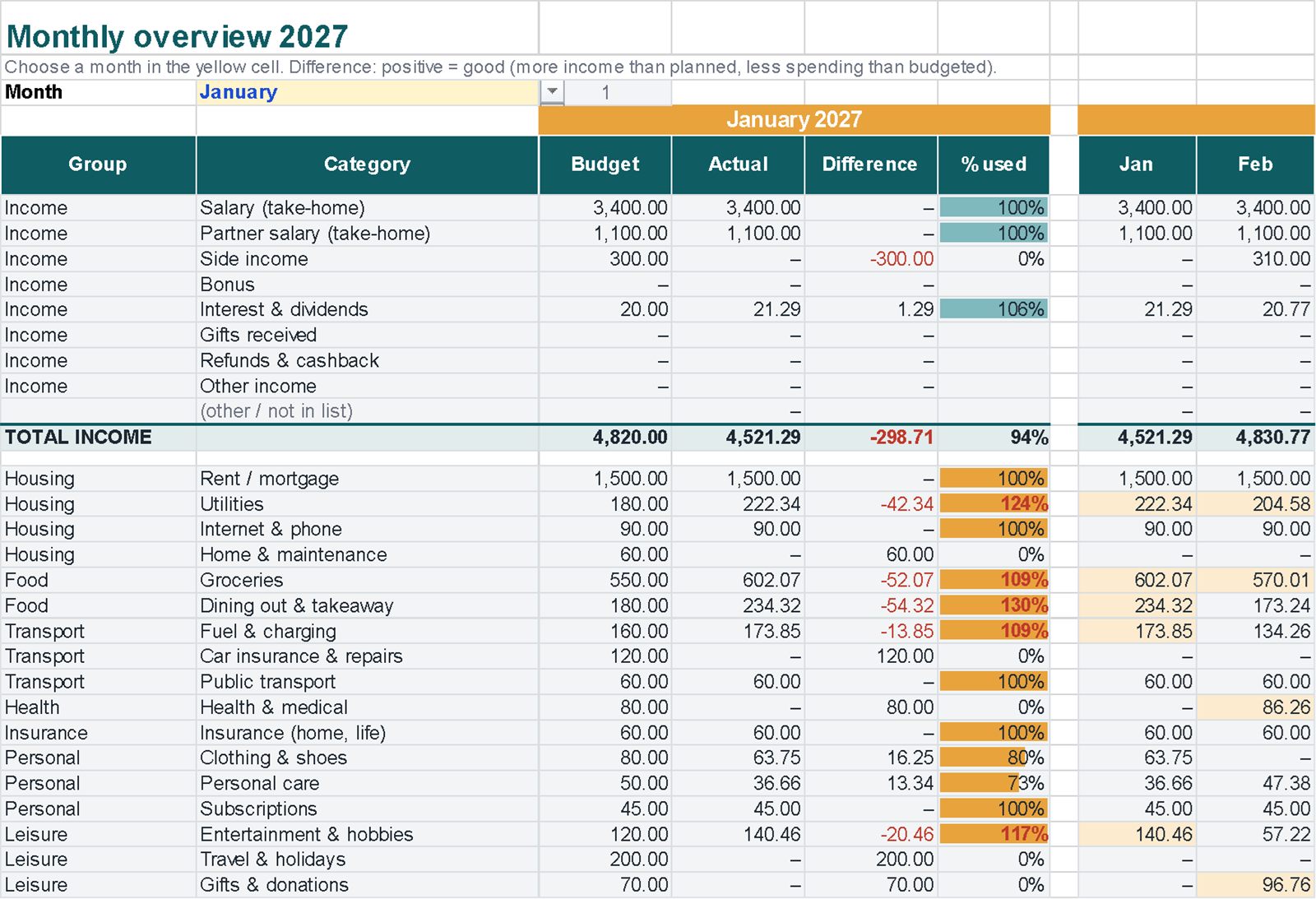
Linked sheets, with instructions on the first sheet.
A worked example
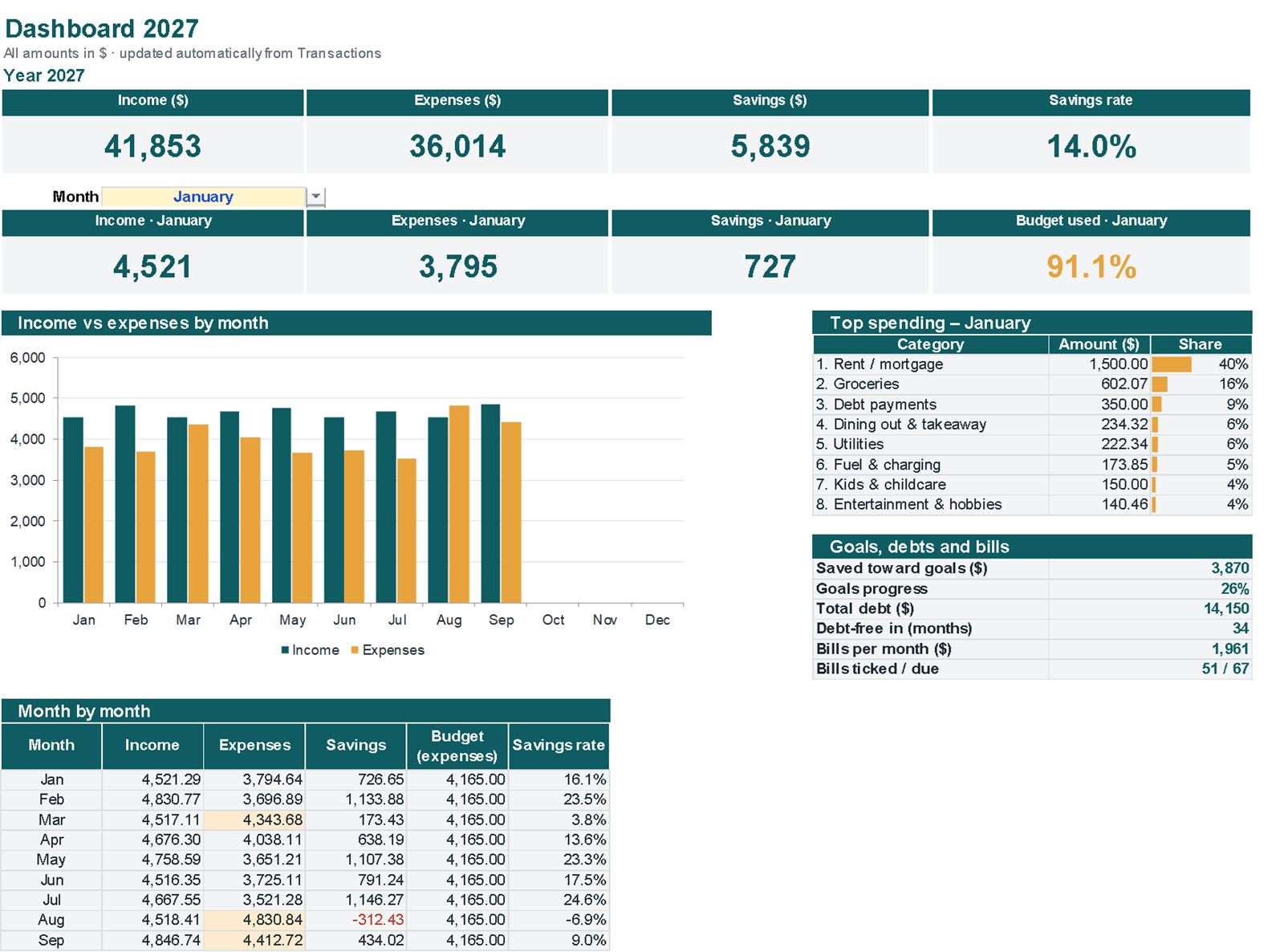
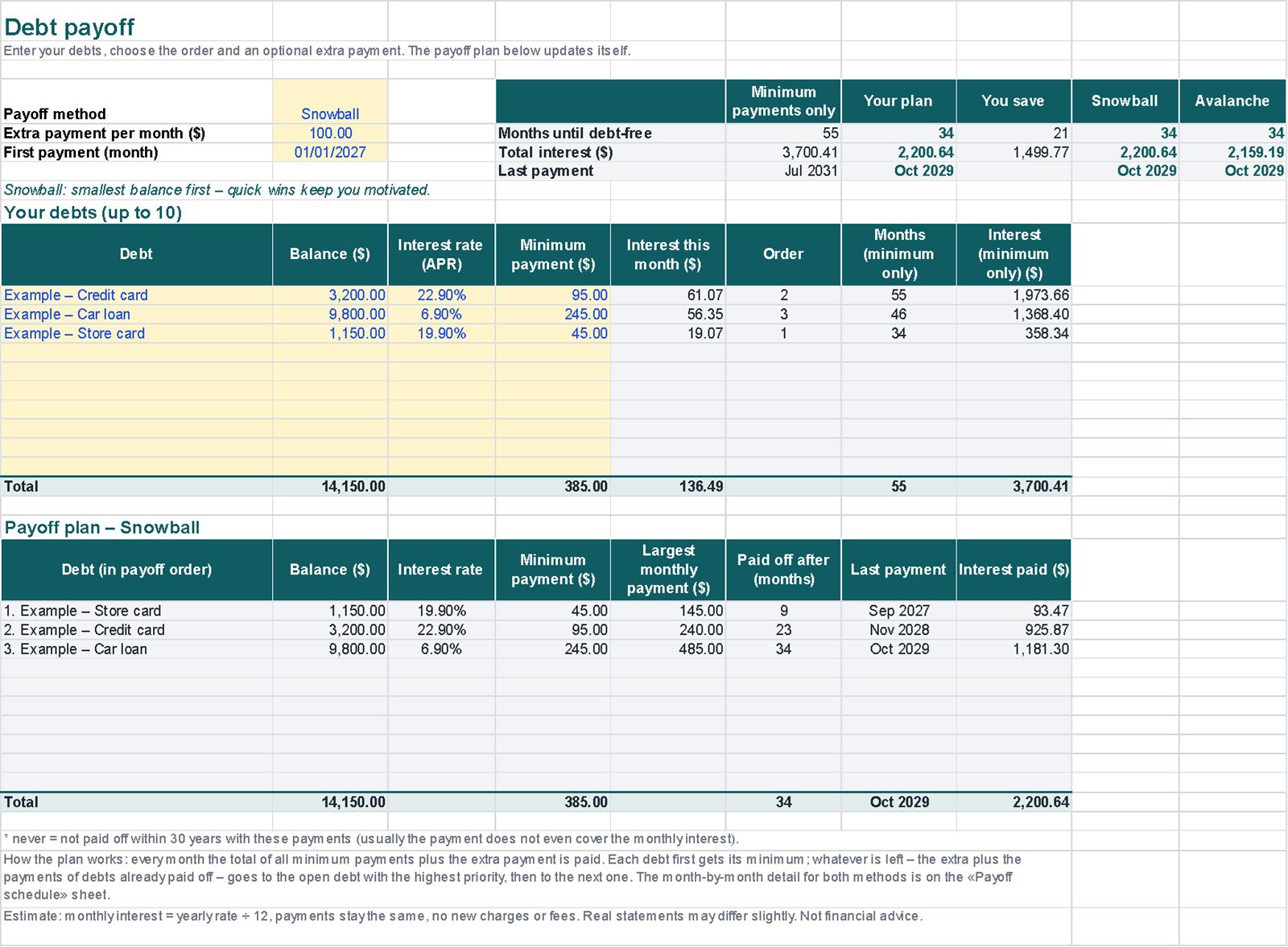
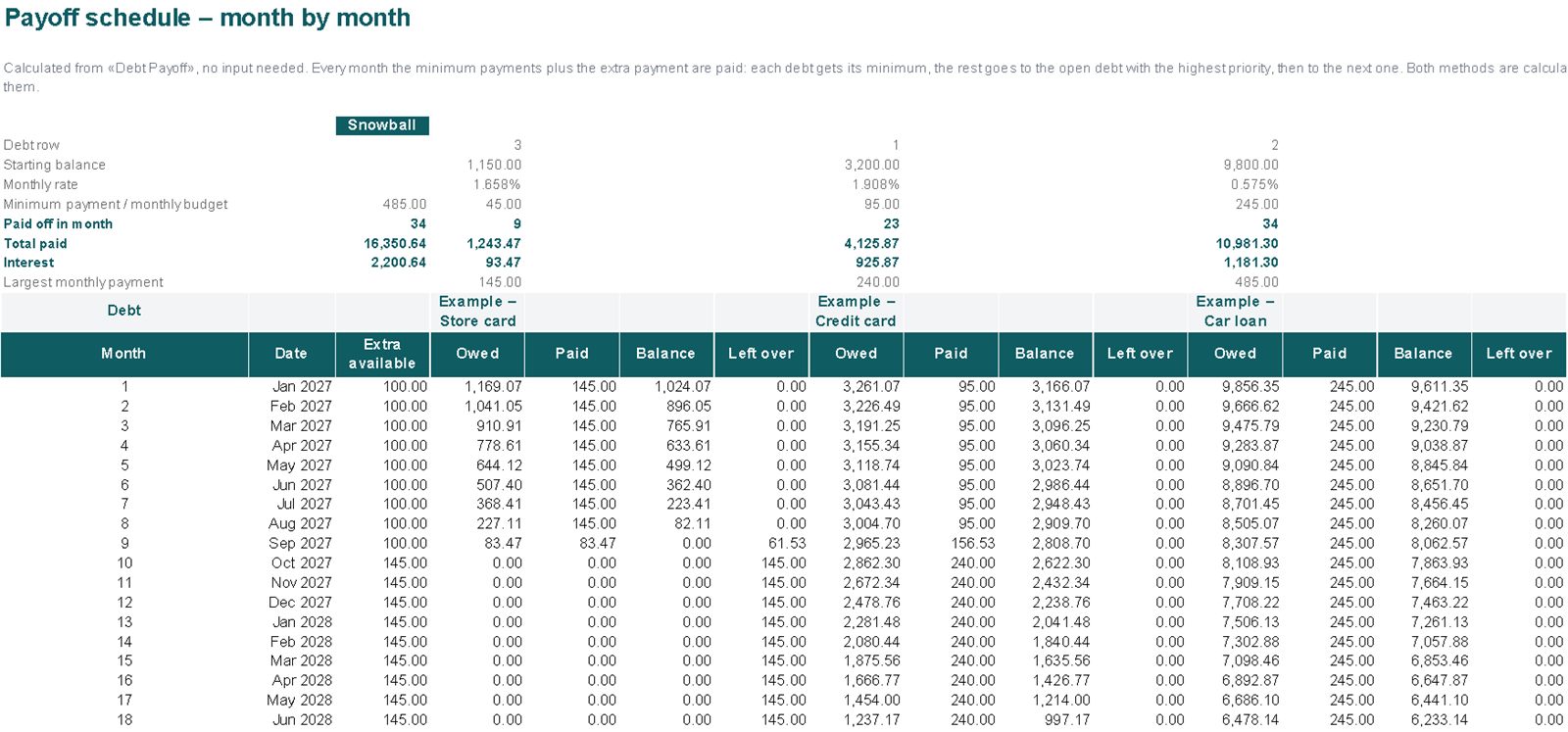
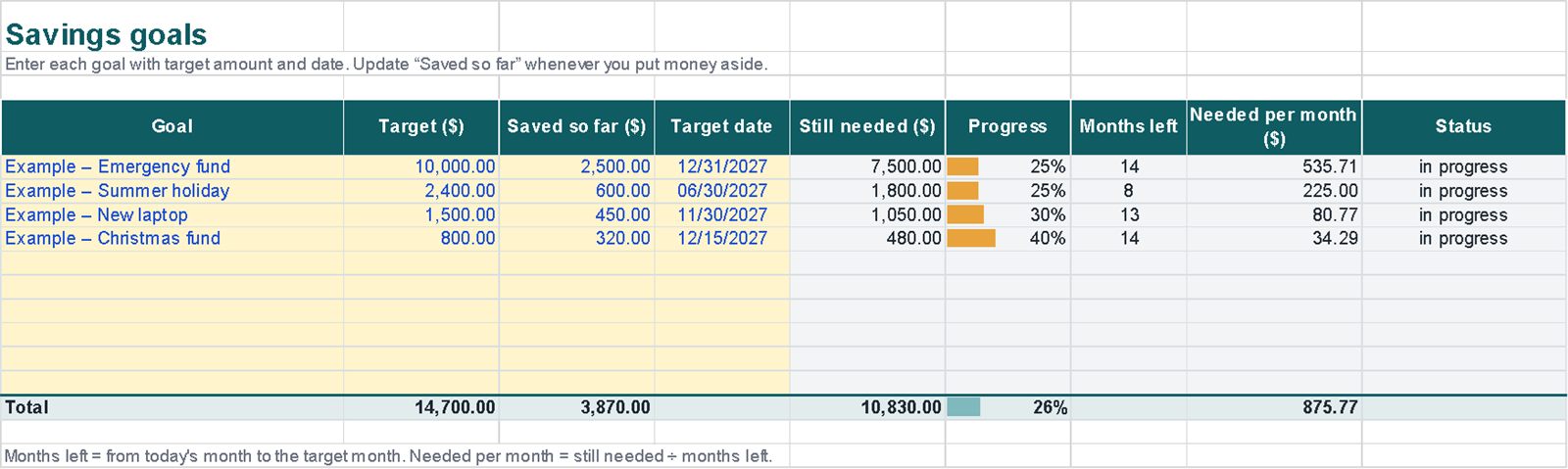
The example covers January to September, with three debts and four savings goals.
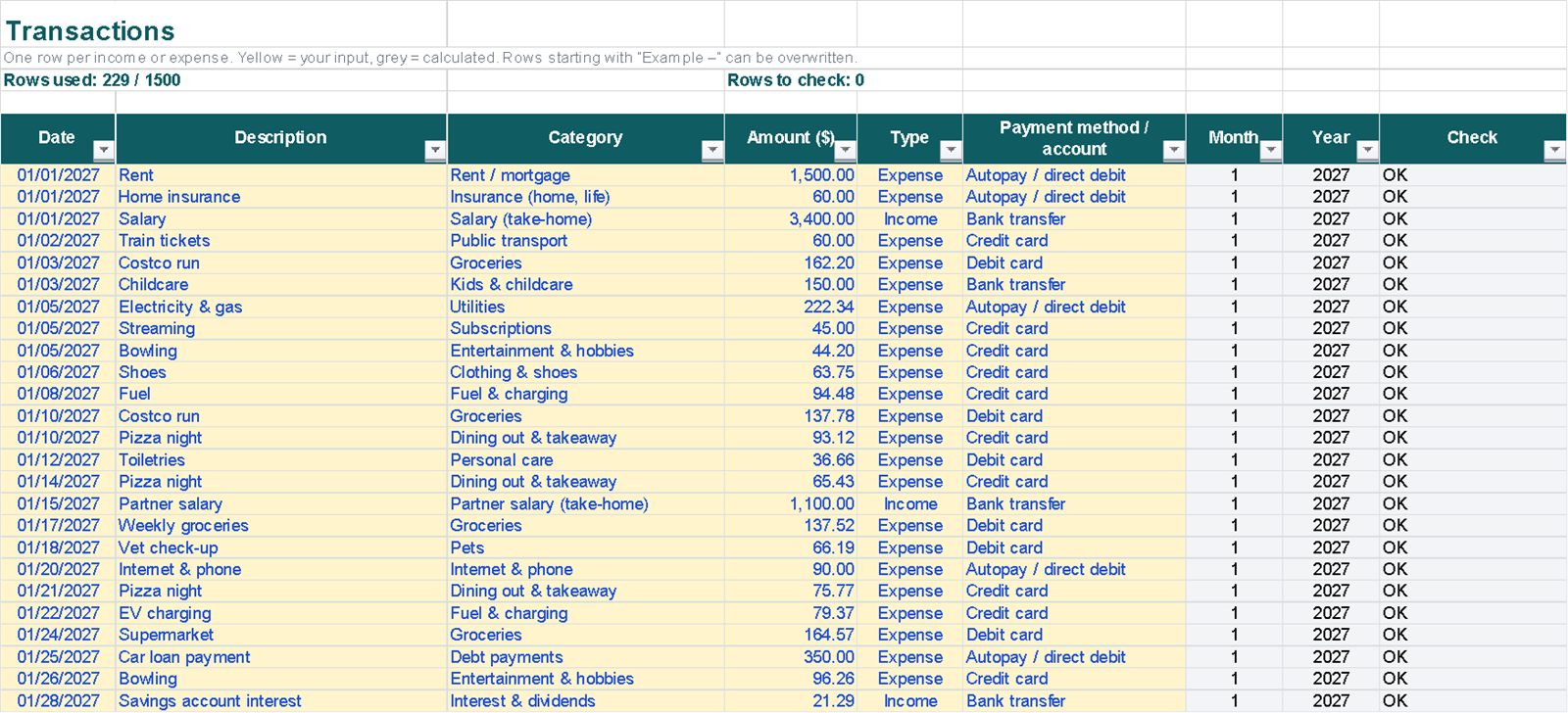
Example data, the same as in the images: the file you download contains just a few example rows to overwrite.
| Income (9 months) | 41,853 |
| Expenses | 36,014 |
| Savings | 5,839 |
| Savings rate | 14.0% |
| Debt-free with snowball / avalanche | 34 / 34 months |
| Total interest, snowball / avalanche | 2,200.64 / 2,159.19 |
Getting started
- In Settings, choose the year, your currency symbol and a monthly budget for each category.
- Log income and expenses in Transactions, picking category and type from the lists.
- Check Monthly and the Dashboard: they update by themselves.
- Add your debts and choose snowball or avalanche to see the payoff plan.
Compatibility and limits
Compatibility
- Plain .xlsx file, no macros, standard functions only.
- Tested by full recalculation in Excel for Microsoft 365.
- Calculations also checked in Google Sheets (upload the file to Google Drive).
- Not tested in Apple Numbers or Excel for Mac.
Good to know
- Entries are typed or pasted in: there's no bank connection.
- One year per file: for 2028, save a copy and change the year.
- The debt plan is an estimate: fixed rate, fixed payments, no new charges.
Questions
Snowball or avalanche: which should I choose?
The file calculates both and shows months to debt-free and total interest side by side. Avalanche (highest rate first) usually costs less interest; snowball (smallest balance first) clears single debts sooner.
Does it connect to my bank?
No. You type or paste your transactions; nothing is connected or sent anywhere.
Which currency does it use?
You choose the symbol in Settings ($, £, € or any other); amounts are plain numbers.
Is it financial advice?
No. It's a tool to organise your money.