
Airbnb Host Spreadsheet 2026
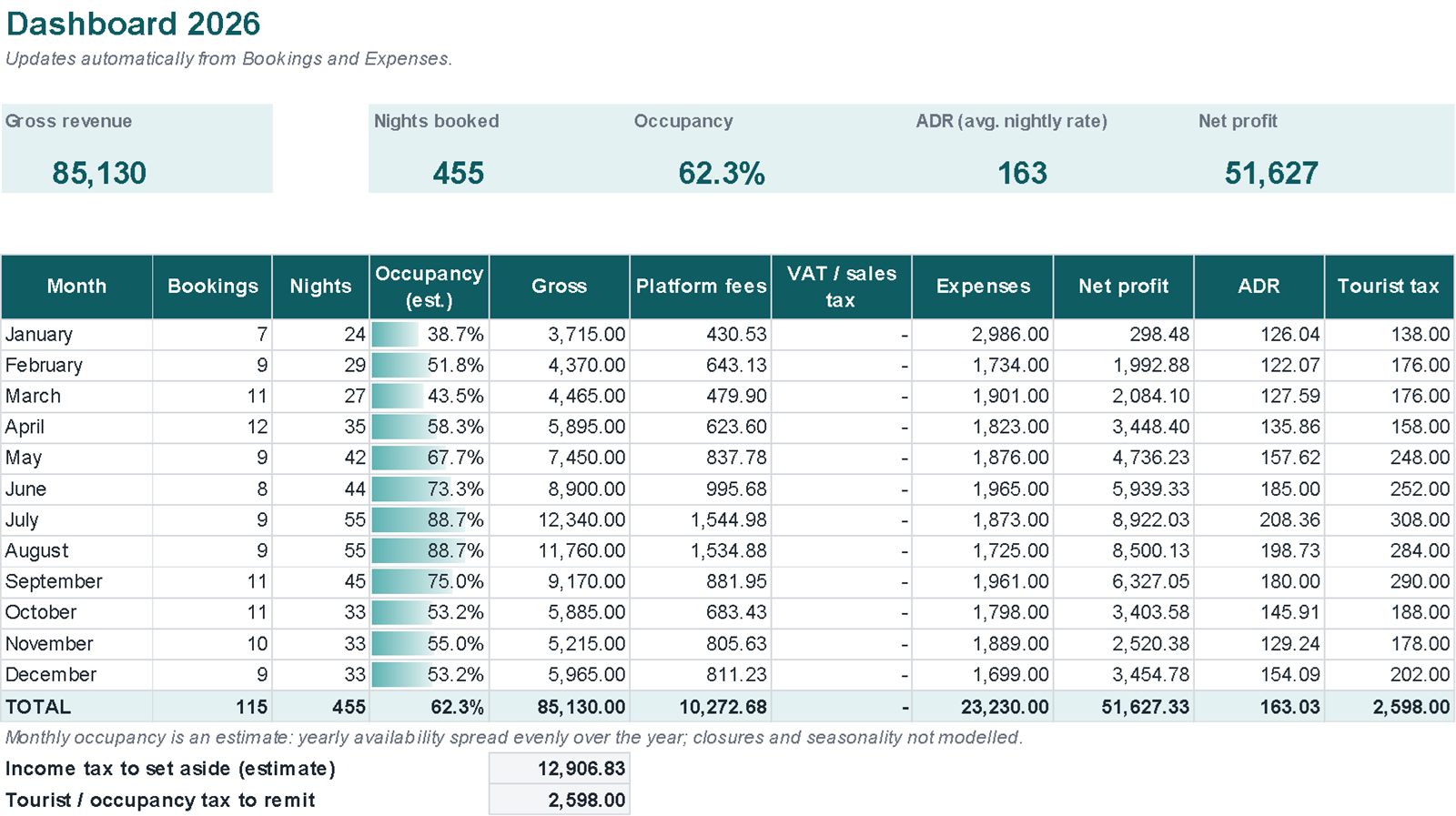
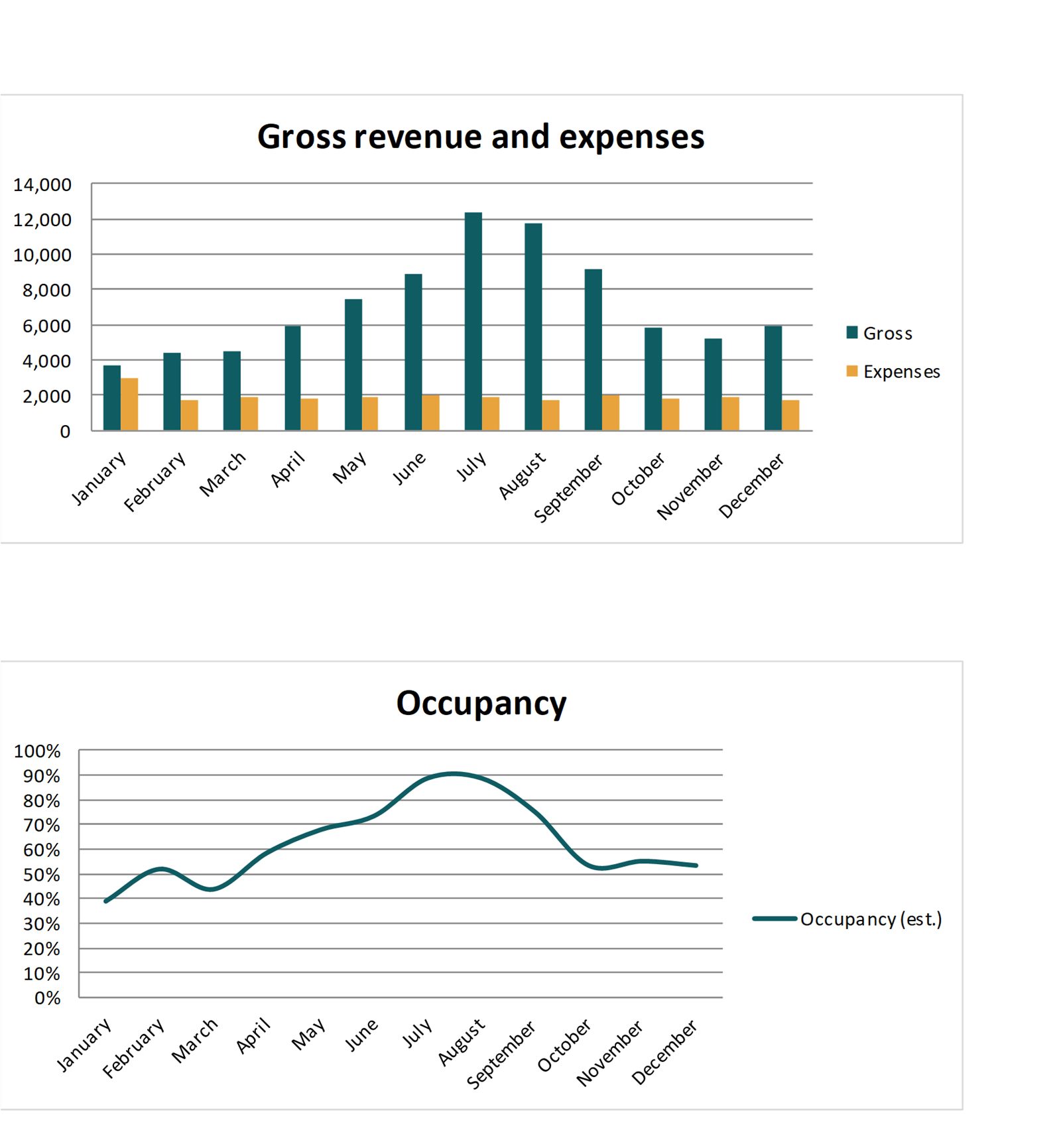
Bookings, fees, expenses and profit for up to 6 short-term rentals in one Excel file. The dashboard shows revenue, occupancy, average nightly rate and net profit month by month.
Real screenshots of the file
Images of the file with example data. Tap an image to enlarge it.

What's inside
Linked sheets, with instructions on the first sheet.
A worked example
In the example two properties take bookings from several platforms in 2026.
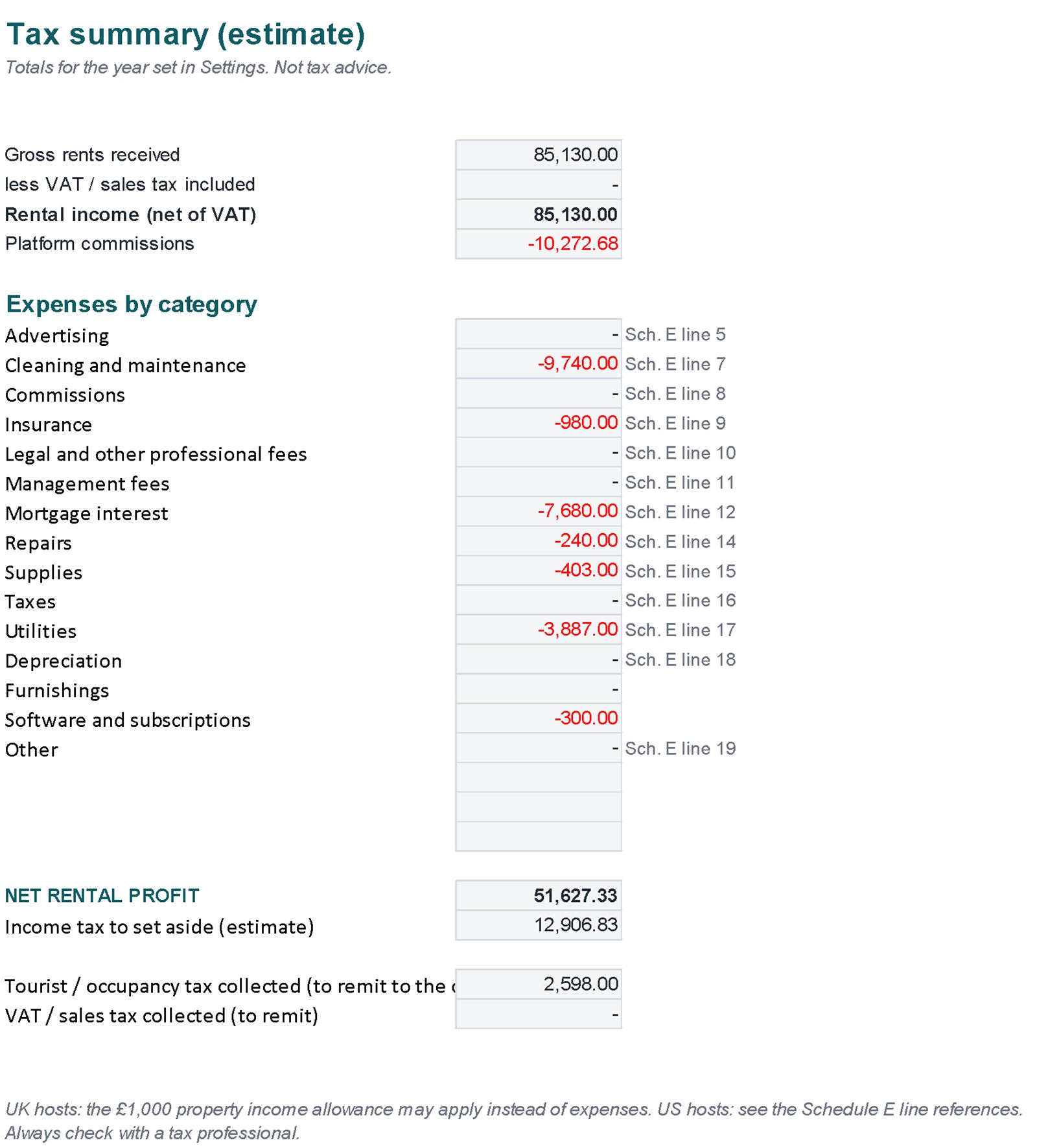
Example data, the same as in the images: the file you download contains just a few example rows to overwrite. The tax set-aside is a percentage you choose, not a tax calculated for your country.
| Gross revenue | 85,130 |
| Nights booked | 455 |
| Occupancy | 62.3% |
| Average nightly rate (ADR) | 163 |
| Net profit | 51,627 |
| Income tax to set aside (estimate) | 12,906.83 |
| Tourist tax to remit | 2,598.00 |
Getting started
- In Settings, add your properties, platforms and fees.
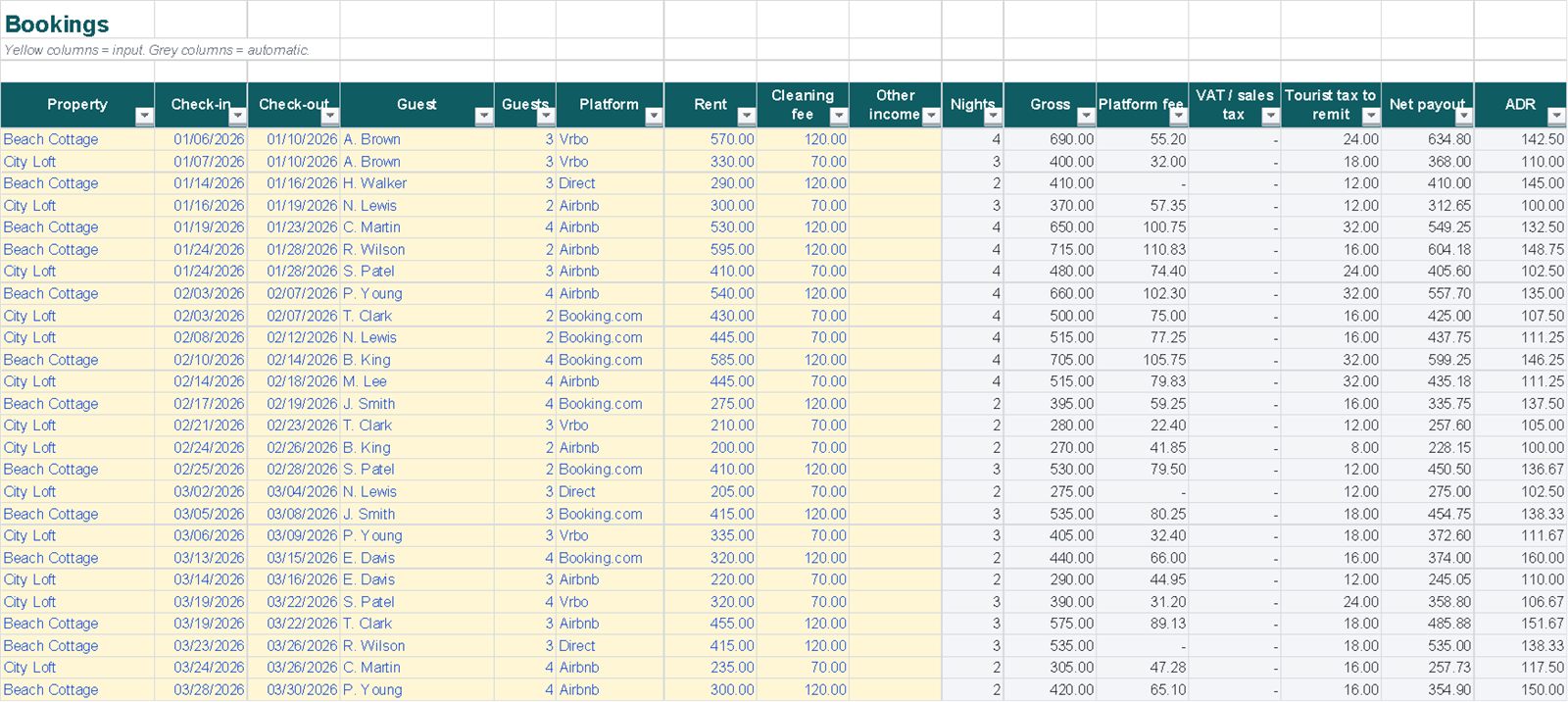
- Log each booking: fees, payout and tourist tax are worked out for you.
- Add running costs in Expenses.
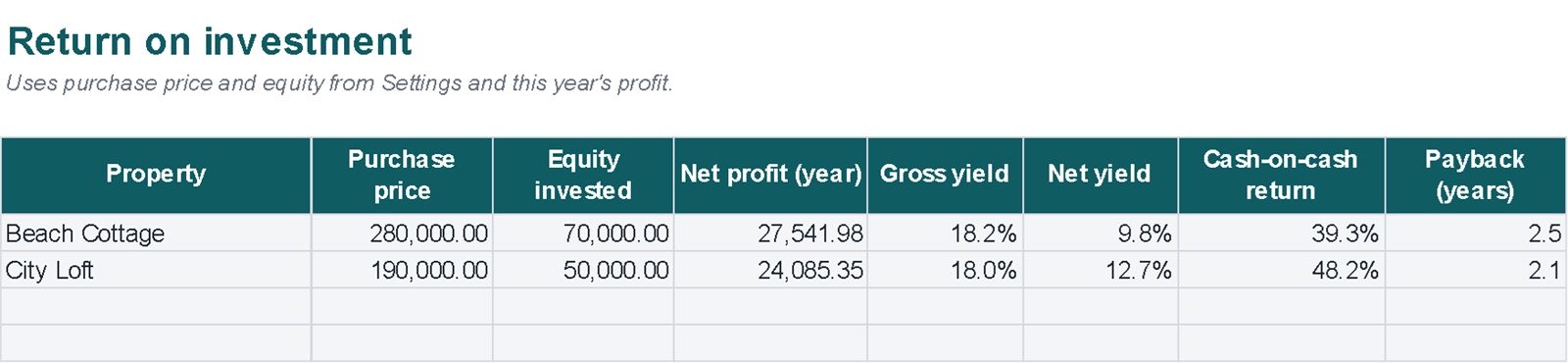
- Read the Dashboard, By Property and ROI sheets.
Compatibility and limits
Compatibility
- Plain .xlsx file, no macros, standard functions only.
- Tested by full recalculation in Excel for Microsoft 365.
- Calculations also checked in Google Sheets (upload the file to Google Drive).
- Not tested in Apple Numbers or Excel for Mac.
Good to know
- Monthly occupancy is an estimate: yearly availability is spread evenly over the year.
- The tax summary uses the set-aside percentage you choose; it is not tax advice.
- Up to 6 properties per file.
Questions
Does it work for Vrbo and Booking.com?
Yes, and for direct bookings: you set the fee for each platform.
Is the tax figure right for my country?
It's the percentage you choose, to help you put money aside. Tax rules differ by country and situation.
Will anything be posted to me?
No. It's a digital file you download from Etsy right after purchase.