
Wedding Budget & Vendor Tracker
Split your budget between categories, log every vendor with quote, final cost, deposits paid and balance due date. The dashboard shows what you have planned, what you have paid, what is still due and which balances are coming up.
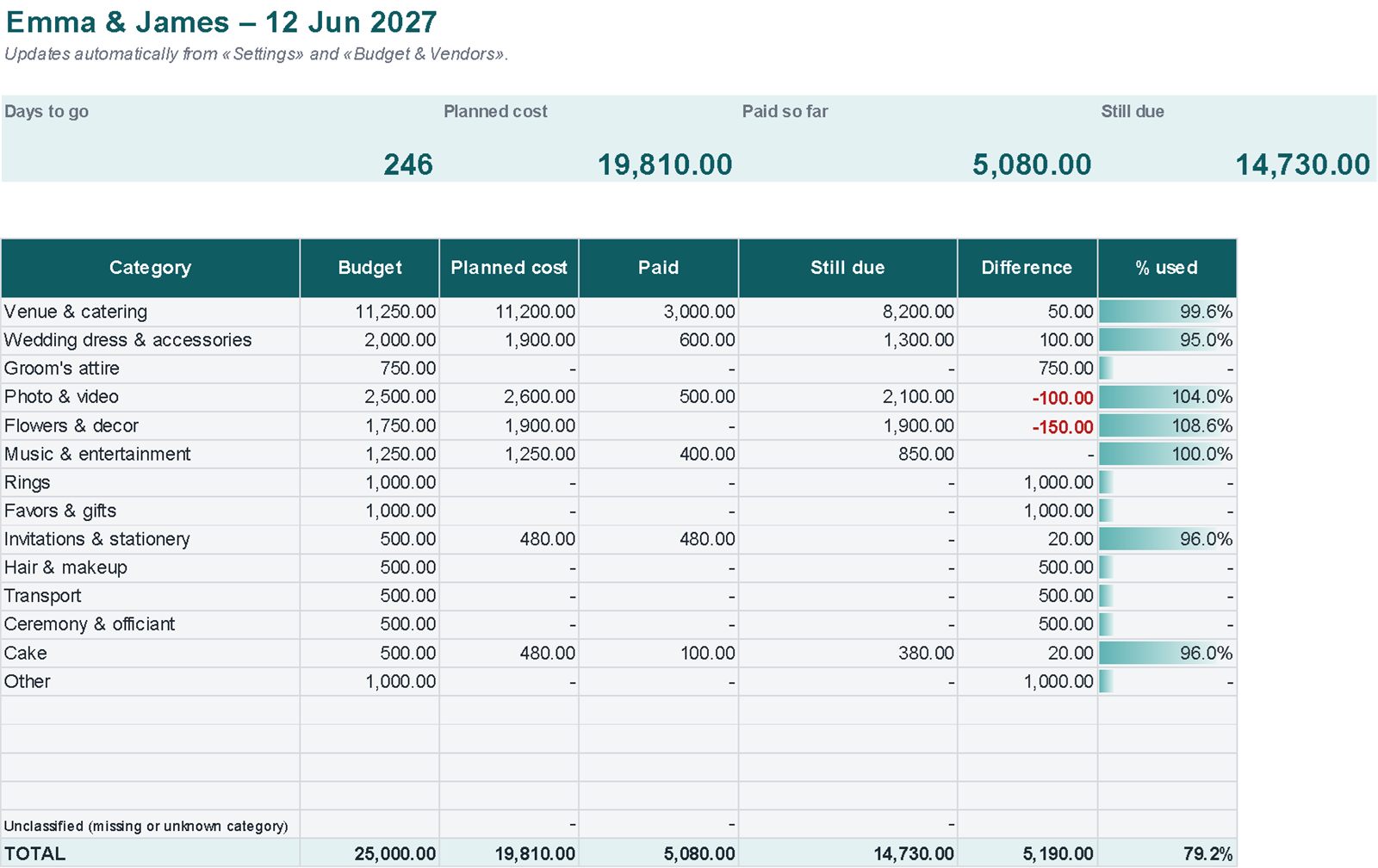
Real screenshots of the file
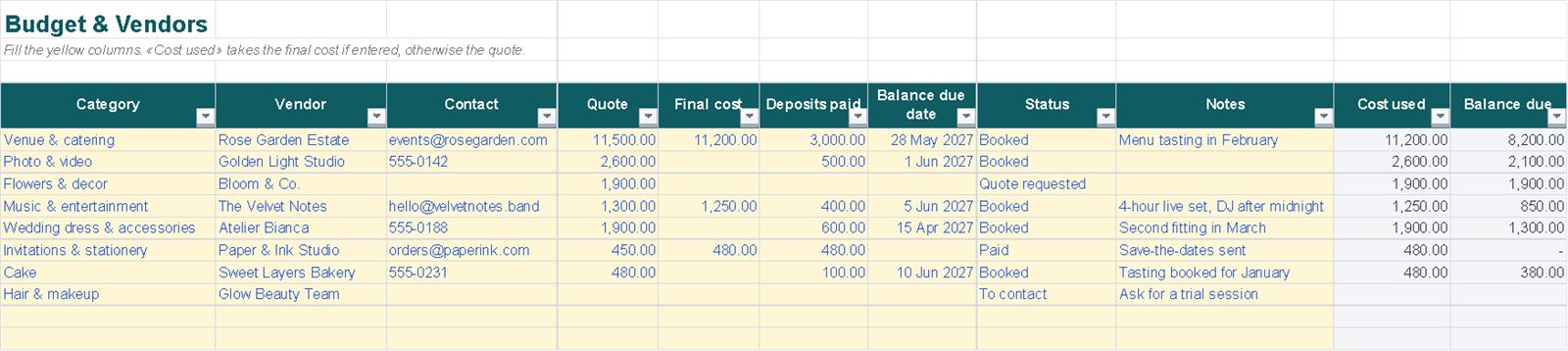
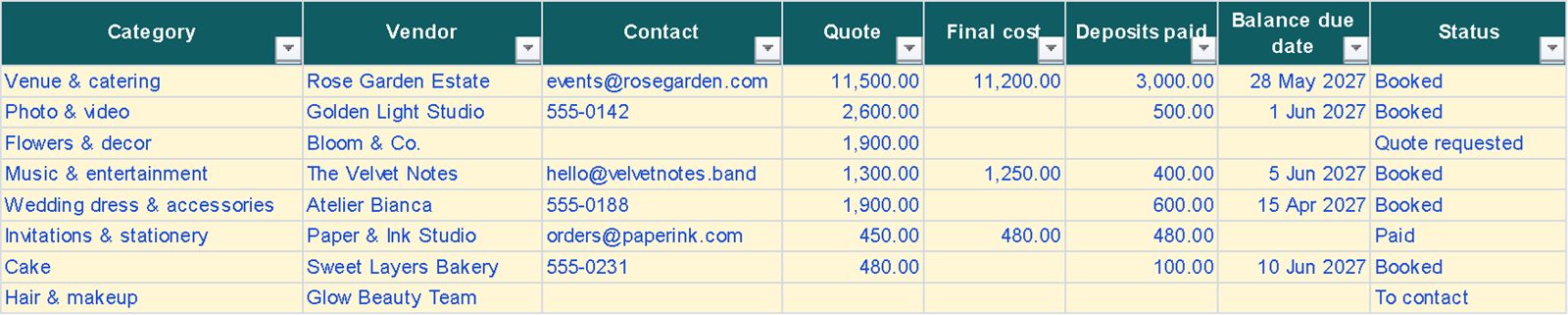
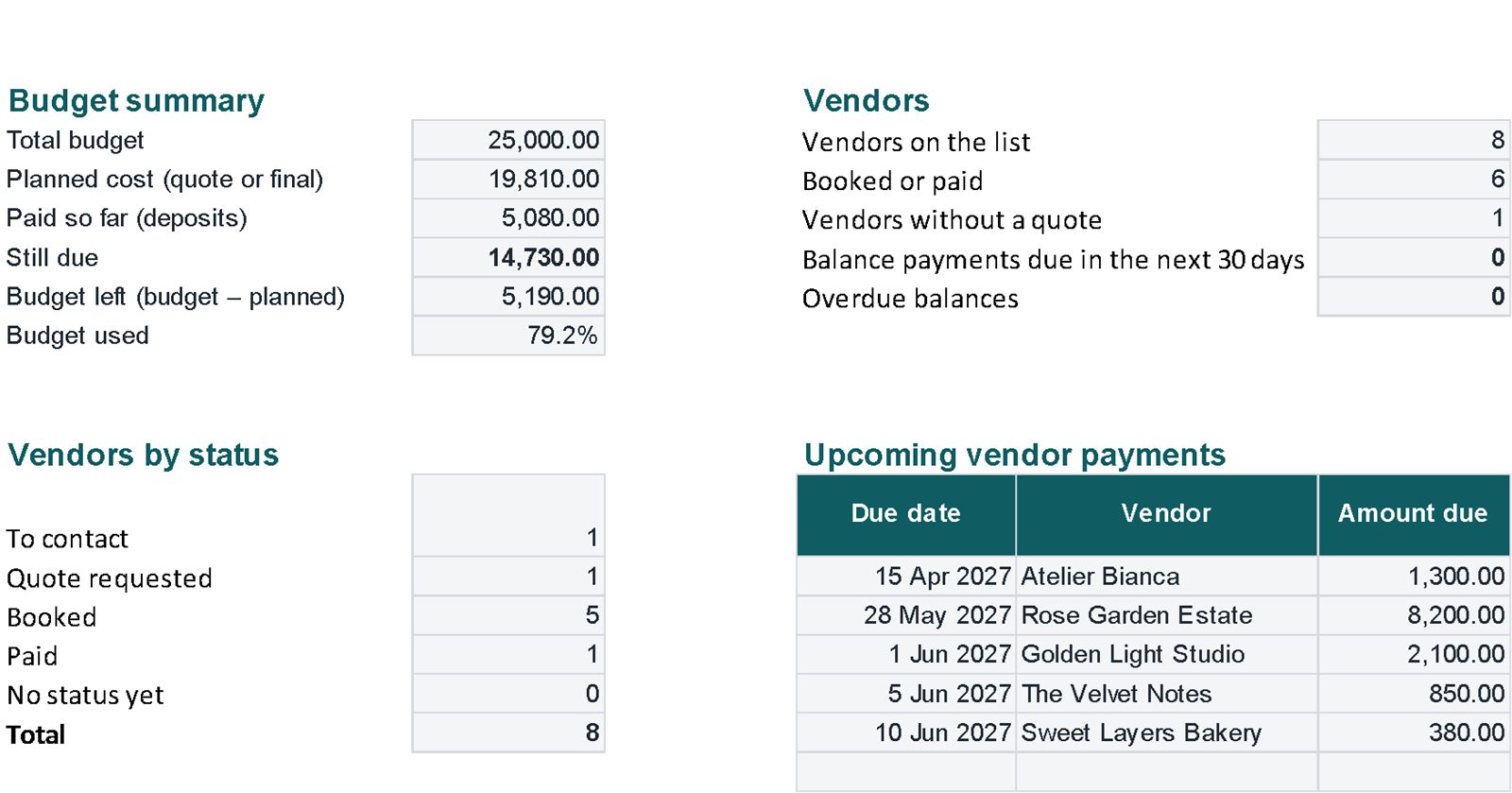
Images of the file with example data. Tap an image to enlarge it.
What's inside
Linked sheets, with instructions on the first sheet.
A worked example
In the example the budget is 25,000 and eight vendors are listed, from the venue to the cake.
Example data in the file, there to overwrite. Amounts have no currency symbol: use $, £, € or any currency.
| Total budget | 25,000.00 |
| Planned cost (quote or final) | 19,810.00 |
| Paid so far (deposits) | 5,080.00 |
| Still due | 14,730.00 |
| Budget left | 5,190.00 |
| Budget used | 79.2% |
| Vendors on the list / booked or paid / without a quote | 8 / 6 / 1 |
Getting started
- Settings: your names, wedding date, total budget and the % for each category.
- Budget & Vendors: one row per vendor; enter the quote first and the final cost once you sign.
- Dashboard: updates by itself.
Compatibility and limits
Compatibility
- Plain .xlsx file, no macros, standard functions only.
- Tested by full recalculation in Excel for Microsoft 365.
- Calculations also checked in Google Sheets (upload the file to Google Drive).
- Not tested in Apple Numbers or Excel for Mac.
Good to know
- Entries are typed in; there is no bank connection and the file does not send reminders.
- This template helps you organise your money; it is not financial advice.
Questions
What is the cost used?
The final cost if you have entered it, otherwise the quote. Balance due = cost used minus deposits paid.
What turns red?
A category not on the list, a balance due date already past with an amount still owed, a negative difference on the dashboard and overdue balances.
Will anything be posted to me?
No. It's a digital file you download from Etsy straight after purchase.